Sharing & the viewer
Turn a finished scene into a link a client can open on any phone or laptop — a live, interactive 3D viewer, no account, nothing to install.
Publish a view-only link
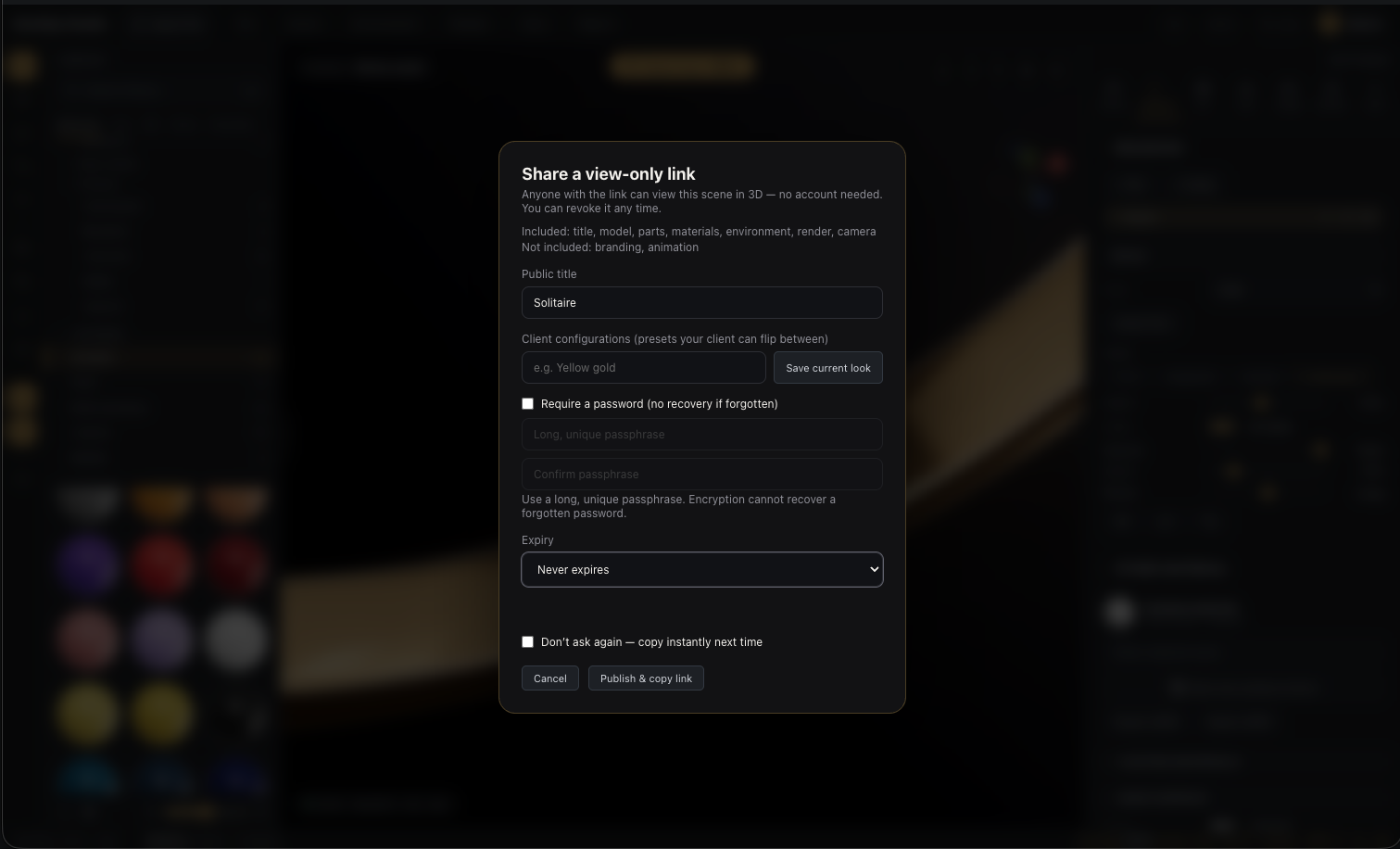
Scene ▸ Share (or the share button in the viewport HUD) opens the share dialog:
- Optionally add client configurations — press Save current look for each variant you want the client to flip between (yellow gold / rose gold, different stones…). The viewer shows them as one-tap presets.
- Optionally protect it with a password (see below).
- Choose how long the link lives — never expires, 7 days, or 30 days.
- Publish & copy link.
Anyone with the link sees the piece in full 3D — orbiting, your materials, lighting, image grade, branding, and the scene's animation — opening on your chosen opening view.
Password protection
Tick password and the published snapshot is encrypted on your device before upload — the server stores sealed data it cannot read, and only people with the passphrase can open the link.
Use a long, unique passphrase and keep it safe: encryption cannot recover a forgotten password.
Imported models share too
Sharing works for your imported pieces, not just built-ins — publishing prepares a viewer-ready copy of the model for the link. Your original stays private in your account; revoking the link removes viewer access.
Manage your links
Share links (Scene menu) lists every link your account has published:
- Copy link — grab it again any time.
- Views — how many times it's been opened, day by day. Counted as anonymous sessions — no visitor identities, just numbers you can act on.
- Revoke — kills the link immediately for everyone. Publishing again later mints a fresh link.
A password-protected link shows a password chip; revoked ones stay listed with a revoked chip for your records.
The quick share hash
Scene ▸ Copy share link (and the HUD button) copies a lighter kind of link — the current look encoded in the URL itself, for quickly showing a configuration to a colleague who also uses the studio. For client-facing delivery, use Publish above: it's the one that works for anyone, carries the full scene, and can be revoked.