Environment & lighting
Jewelry photography is lighting. GemGpu's Env tab controls what the piece reflects, the studio lights layered on top, and the ground it sits on.
Two environments, not one
The signature of the engine: gems and metals are lit by independent HDRI environments. A stone wants crisp, high-contrast light for sparkle; polished gold wants broad soft gradients for elegant reflections. GemGpu lets each have its own world.
- The library's Env tab switches between the Gem light and Metal light catalogs — click a tile to apply it to that slot.
- Star tiles to keep favorites; both slots remember their own choice.
Environment tone
Per-slot finishing controls in the Env tab: Gem exposure / contrast / blur and Metal exposure / contrast, plus Rotation (0–360°) which spins the lighting around the piece — often the fastest way to find the angle where a stone ignites.
Custom HDRIs
Bring your own light: Environment ▸ Import gem/metal HDRI (.hdr) stores a Radiance file (up to 4096×2048) in your custom list and applies it. Download any current environment back out as .hdr, and delete customs you're done with. For building environments rather than importing them, use the HDRI Light Studio.
Studio lights
Three classic photographic lights layered over the environments — Key, Fill, and Rim intensity sliders plus Warmth for their color temperature. They're off by default (the environments do the work); raise them when a piece needs directional punch or a warm accent the HDRI doesn't provide.
Background
The library's BG tab:
- Presets — curated light (Paper White, Soft Catalog…), dark (Charcoal, Velvet Black…), and color (Midnight Navy, Emerald Velvet, Champagne…) backdrops.
- Transparent — for compositing; still exports honor it.
- Environment — show the metal HDRI itself as a backdrop, with Blur and Brightness.
- Custom — solid, linear gradient, or radial gradient from your own two colors, with angle and swap.
A backplate photo can also be imported (Env panel) to sit behind the piece for lifestyle composites.
Ground & shadow
The plate the piece sits on:
| Control | What it does |
|---|---|
| Visible / Shadow type | A full Studio plate or a Shadow only surface that vanishes, leaving just the grounding shadow. |
| Plate color, Roughness, Metalness | The plate's own material. |
| Size / Height | Footprint and vertical position. |
| Reflections | Mirror-catalog look — the piece reflected softly beneath itself. |
| Follow model | The plate re-seats itself under the piece as you transform parts; freeze it when you've placed it deliberately. |
| Limit camera | Stops the camera from diving below the floor (also on the tool rail). |
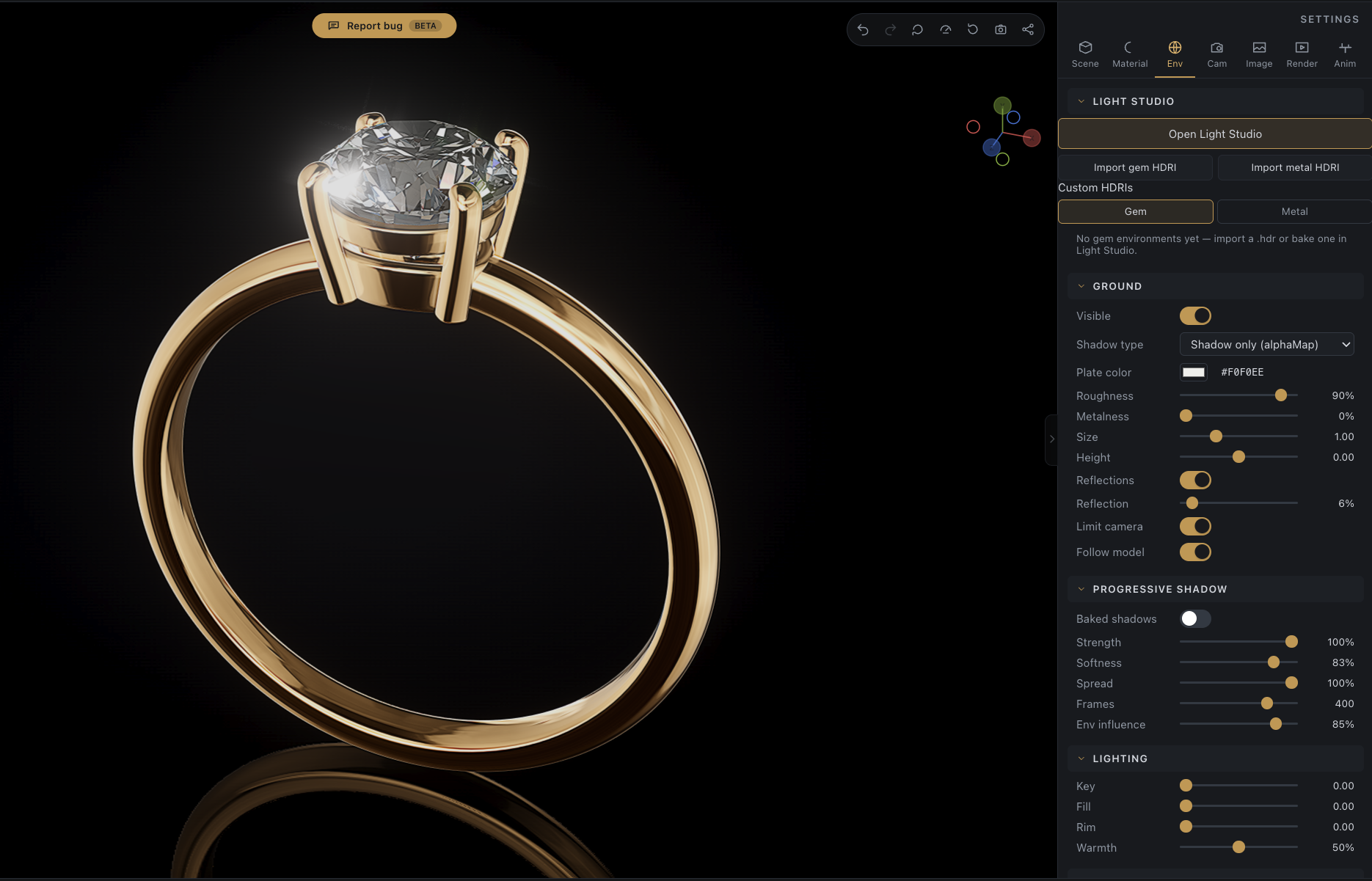
Progressive shadow is the soft, photographic contact shadow baked under the piece — Strength, Softness, Spread, quality Frames, and Env influence (how much the environment's brightness shapes it). It refines over a moment after changes, like a progressive render.